Join the Stern Center and Generator for a free screening of the Vermont documentary film Gone Guys, followed by light refreshments and a group discussion lead by youth and community educators Shaun Stephens, Stern Center Speech Language Pathologist, and Mason Merriam, Generator Director of Facilities & Operations.
About the film:
Gone Guys explores a “quiet crisis” in our communities, hidden in plain sight: the increasing disengagement and isolation of boys and young men. Set in rural Vermont, this documentary brings national data to life highlighting the struggles faced by boys and young men and sets the stage for a meaningful conversation.
Details
What: Gone Guys Film Screening Date: Thursday, May 14th Time: 5-7pm Cost: FREE Location: Generator Makerspace, 40 Sears Ln (Map) Movie Trailer:Gone Guys Film
Adobe Illustrator is a powerful design program that is ideal for creating and manipulating vector graphics for laser and vinyl cutting, plasma cutting, and many other manufacturing and digital fabrication applications.
Unlike raster-based programs that store images as pixels, Illustrator works with mathematical paths and curves, meaning designs can be scaled to any size without losing quality or sharpness — a critical advantage when precision is required.
Illustrator’s robust set of tools allows designers and fabricators to create clean, exact outlines, intricate patterns, and complex shapes that translate directly into machine-readable files.
Features like the Pen tool, PathFinder operations, and node editing give users precise control over every anchor point and curve in a design. And other tools make it relatively easy to convert art made via more traditional methods into digital formats ready for high volume reproduction. Illustator supports industry-standard file formats such as .SVG, .DXF, .EPS, and .AI, which are widely accepted by laser cutters, vinyl plotters, plasma tables, CNC routers, and waterjet machines.
Here at Generator we offer regular Illustrator workshops to help anyone learn the fundamentals of vector design and get the most out of Adobe Illustrator for their making, fabrication, and design projects.
Whether you’re new to the software, looking to sharpen existing skills, or seeking help with a specific project or challenge, our offerings have you covered.
Illustrator Skills Workshop – $75
The first option is an introductory skills workshop for never-evers, or users who are relatively new to Illustrator. The goal of the intro workshop is for participants to leave with a strong foundation in essential Illustrator tools/skills/shortcuts so they can efficiently create or modify designs for use with Generator’s laser, vinyl, and plasma CNC machines. We’ll slowly step through the entire interface touching on best practices and the most common tools. If there is time at the end we can dig into project specific questions.
Illustrator Project Support – $20
The second option is a project support workshop where individuals can receive help working through specific challenges or processes. This option is great if you’re wrestling with a tricky vector, trying to clean up a design for cutting, or just want another set of eyes on your work.
Join us at Generator for two evenings of sharing, learning, and making! Whether you’re curious about how things are made or passionate about fixing what’s broken, these community gatherings are designed to celebrate and share the knowledge, skills, and creativity contained within our maker community.
A big thank you to Sophia DiLibero for helping us plan and host these events!
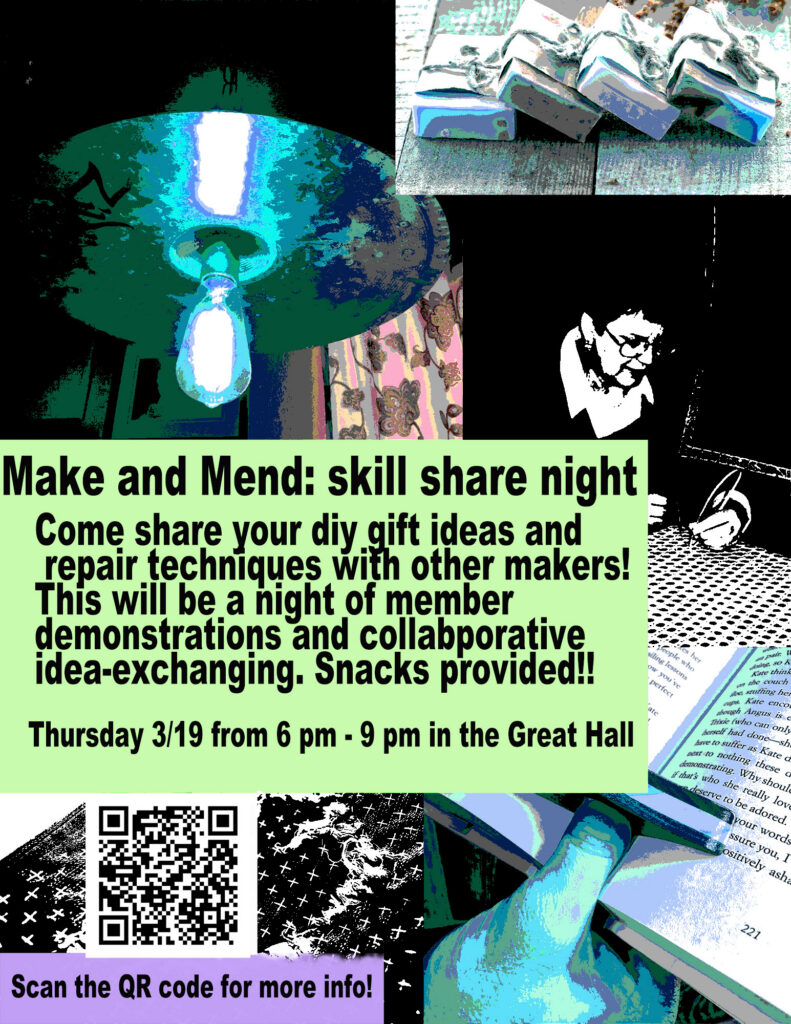
Make & Mend – Thursday, March 19
Bring your broken items and DIY gift ideas to our Make & Mend community gathering! This event is another experiment in coming together, connecting with each other, and exchanging ideas.
The plan is to meet in the Great Hall and connect people with broken items to individuals with appropriate repair skills. This event is also an opportunity to show off previous fix-it victories, and share ideas and examples of projects that would make useful or meaningful gifts for friends and family.
Whether you’re patching jeans, reviving electronics, or brainstorming your next homemade creation, this is your chance to learn from fellow makers and show off your repair wins. Come ready to share what you know and leave with new skills and inspiration.
What: Make & Mend Repair & DIY Gift Event Where: Generator Great hall When: Thursday, March 19 Time: 6-9pm Cost: Free
If you are planning to attend, you can just show up, but we’d prefer if you RSVP’d below. This will help us gauge whether this is a good idea or not and ensure we are properly prepared. Please also consider bringing some snacks to share.
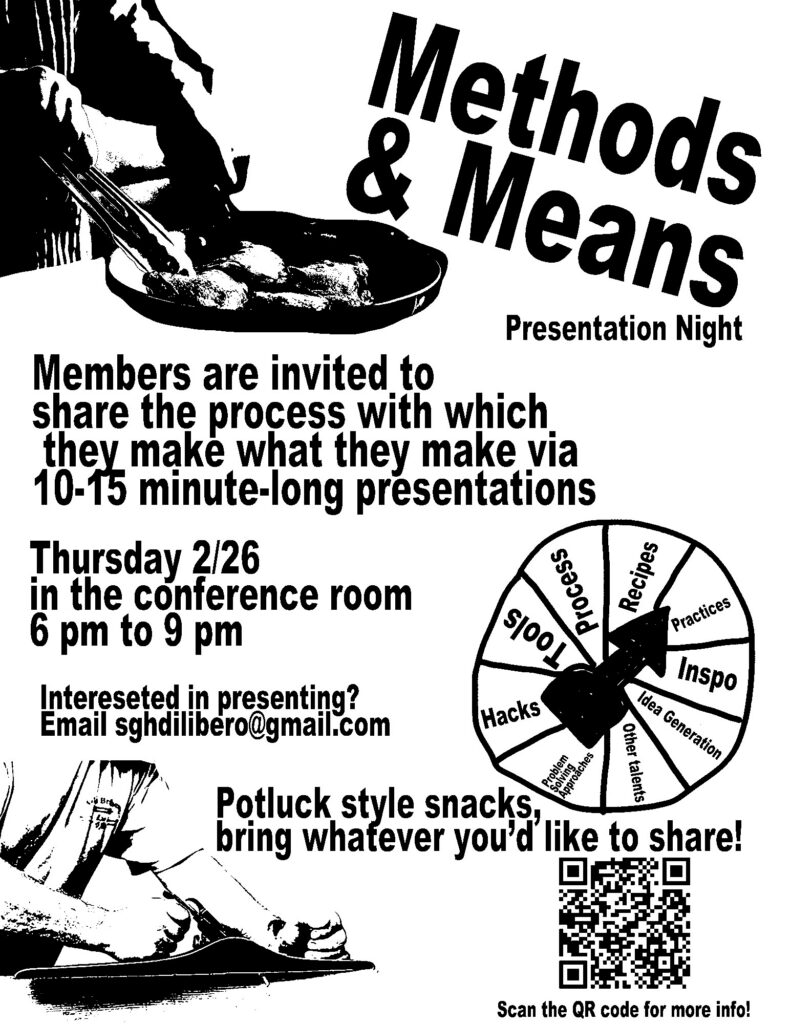
Ever wondered how different people approach certain tasks or projects? Methods & Means is a show-and-tell type of event where our community members are invited to pull back the curtain on their approach to a particular process.
This is an experiment, and there are no rules or expectations on what should be shared, or how to share it. Take us through some slides, set up a demo, do an interpretive dance… It’s your choice!
No Topic Is Off Limits Tell us about how you approach using 3D printing to create molds for slip casting ceramics… Walk us through the steps and ingredients necessary to make the most awesome cup of hot chocolate… Or explain the theory and reasoning behind how you organize files on your computer.
The Format Is Simple Share your methods, reveal your means, and give us a little glimpse of your inner-nerd so we can appreciate the passion behind the maker/doer! Each person will have ~20 minutes to use however you want. We’re planning for 10-15 minute presentations followed by discussion… But please don’t let our lack of creativity limit your plan.
Interested in Sharing? We are currently seeking ~6 community members interested in presenting. If you have a thing you’re passionate about—be it practical, whimsical, or anywhere in between—we’d love to hear from you.
Please contact Sophia at [email protected] to share your theme and reserve a spot.
Current Lineup
Greg Maino – The Perfect Oreo Dunk
Patrick Fahey – A Simpleton’s Guide to Sharpening Tools
Bjorn Peterson – Design Rabbit Holes
Neil Shah – Oru Woodstove Monitor
Jim Hodson – Developing Agreement via App
Sam Francis – Papier Mache Masks
Lux – Creativity Through Spontaneity
Aurora Calderon – Craft Switching Thru The Seasons
Greg Maino – The Art of Making Good Bad Decisions
What: Methods & Means Show & Tell Event Where: Generator Conference Room When: Thursday, February 26 Time: 6-9pm Want To Present: Contact [email protected] Cost: Free
If you are planning to attend, you can just show up, but we’d prefer if you RSVP’d below… even if you are presenting. This will help us gauge whether this is a good idea or not and ensure we are properly prepared. Please also consider bringing some snacks to share.
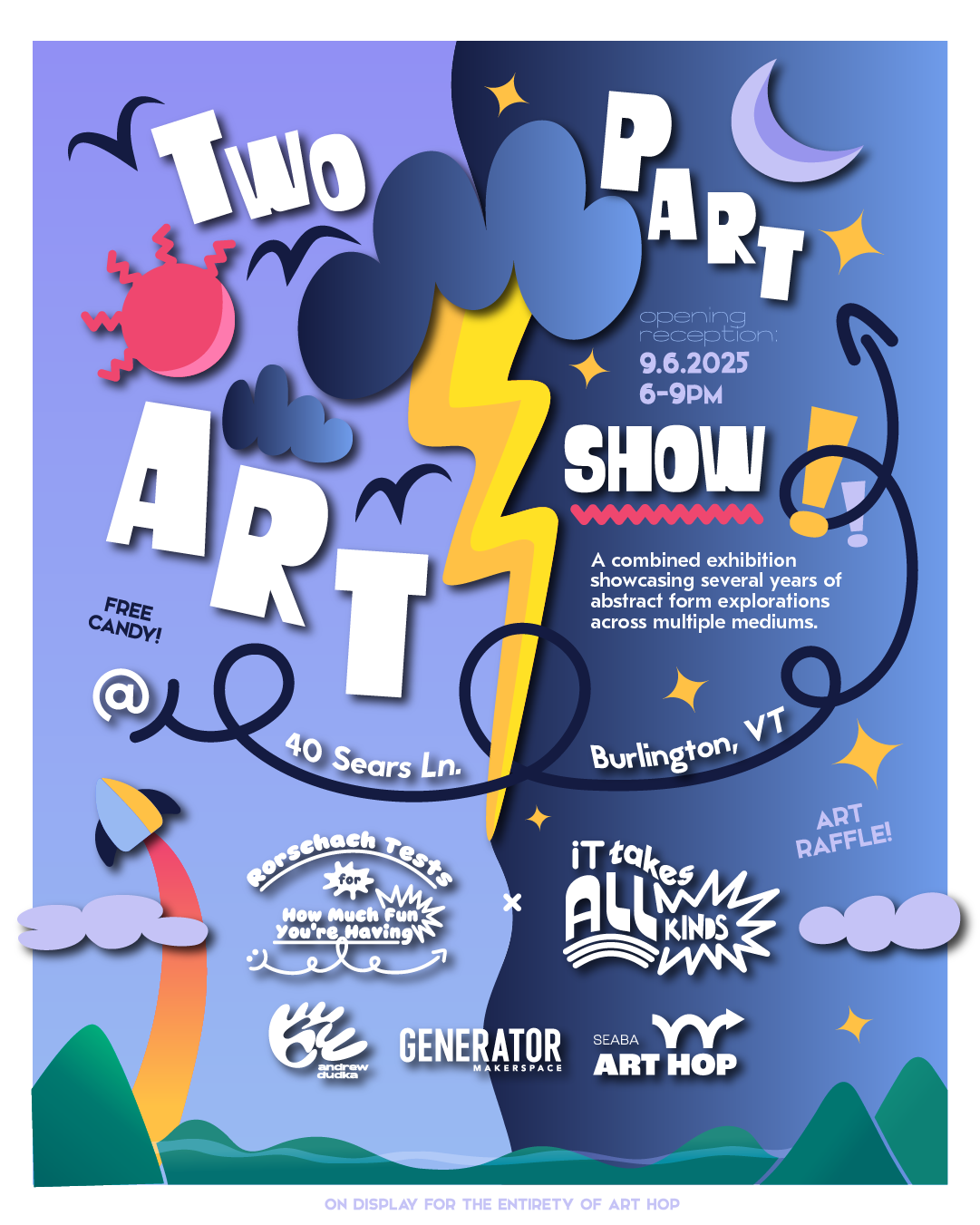
Join the maker and artist community at Generator Makerspace during the South End Art Hop for our Artist-In-Residence Showcase with Andrew Dudka!
Andrew is a local artist and designer who creates digital, two-dimensional and three-dimensional pieces to encourage playful reflection and offer poignant societal commentary. His work speaks through vibrant, rounded forms and dynamic negative space—colloquially dubbed “blobs”—and a deceptive simplicity that belies deeper meaning.
Andrew will be unveiling a two-part exhibit for Art Hop: “Rorschach Tests For How Much Fun You’re Having” is an interactive, multimedia culmination of over two years of exploratory abstract drawing and printmaking, driven by free association and loosely interpreted tenets of art psychology. “It Takes All Kinds” is an extension of the same creative process, expanded through the variety of mediums and resources made possible by Generator Makerspace. Both bodies of work pose questions about the relationship between meaning, humanity, and belonging.
Andrew’s installation will be on display at Generator for all three days of Art Hop, and Andrew will be present in his studio from 6-9pm on Saturday and 10am-12pm on Sunday.
What: Artist-In-Residence Showcase Who: Andrew Dudka When: Fri-Sun during Art Hop Cost: FREE
Jon Roberts has been a Generator member for over 3 years now, and is a multimedia artist using the laser cutter, plasma cutter, and woodshop for some interesting applications in sculpture. We first talked to Jon about his art installation for the total eclipse event in Lake Champlain this April.
We’re excited to bring you his full Generator story in his own words.
I found my way to Generator when I was looking for space to make art and a community to fend off the isolation that one can feel as an artist. But I had no idea the ways my 2D artwork would be transformed into large public sculptures over the next few years at Generator.
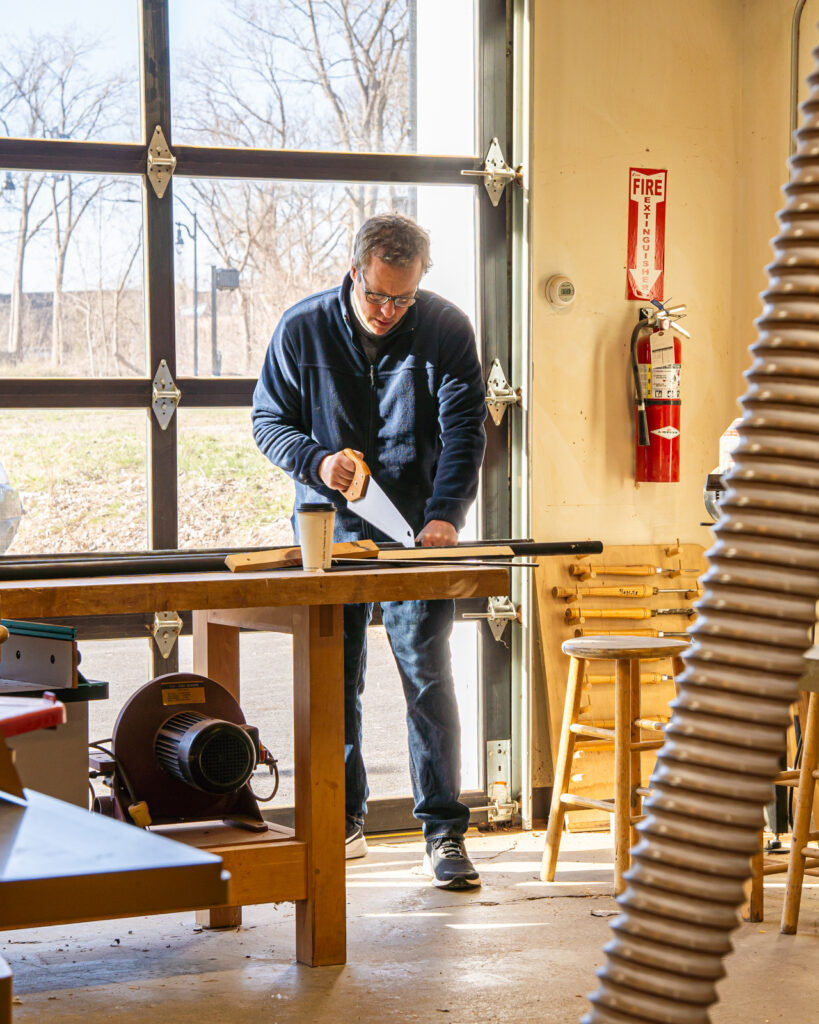
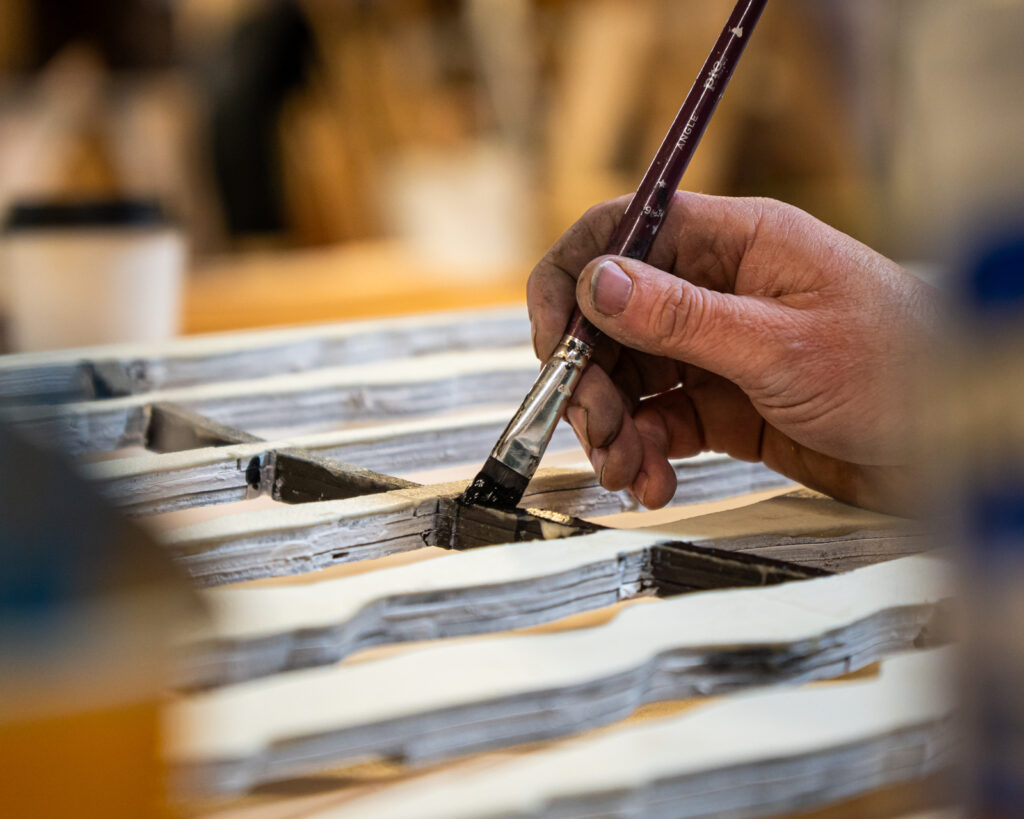
When I first came to Generator I was mostly making paintings and works on paper. The woodshop allowed me to make panels for paintings and the laser cutter offered interesting possibilities for cut paper works. As I watched people bring ambitious dreams into reality it helped me to think bigger.
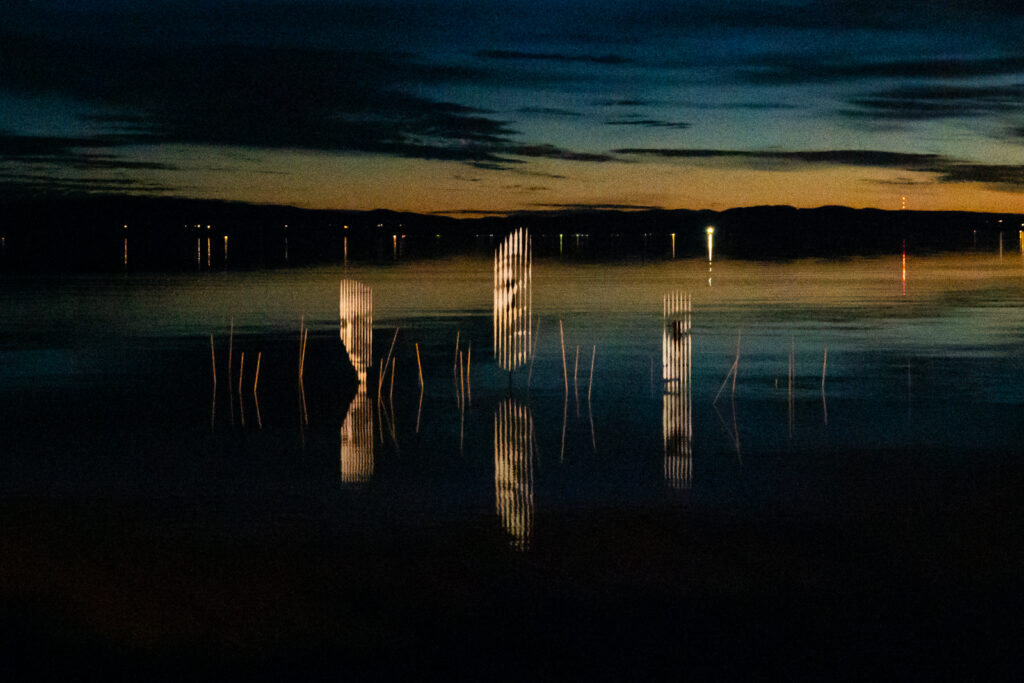
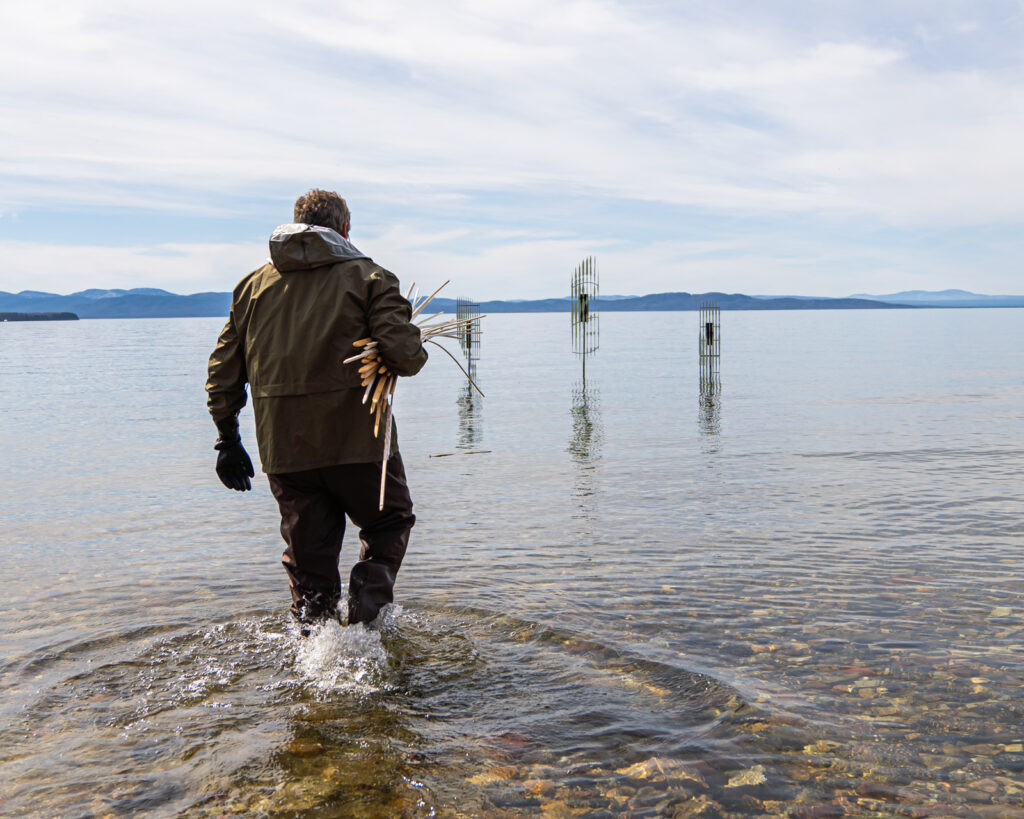
As the 2024 eclipse was approaching this past year, I had an idea for a sculpture that was unlike anything I had previously done. I used the laser cutter and woodshop at Generator to fabricate a temporary 10 ft. x 40 ft. installation of floating faces. The sculpture was placed offshore in Lake Champlain and glowed during the eclipse and at night with phosphorescence.
My eclipse installation has received positive attention and helped inspire new works. I was recently accepted as the Generator Artist-In-Residence for the fall and I plan on using the CNC driven plasma cutter to cut large scale sculptures out of sheet steel, and the computer lab to help design my sculptures. It’s not just the tools that help enable projects like this, it’s the community and the other members.
I often describe Generator as feeling like an MFA program at a major university for a tiny fraction of the cost. Being a studio member and the work I make here has also helped me to secure a competitive residency at The Vermont Studio Center, and I am currently writing a proposal for the BCA Community Art Fund for a large public art project in Burlington. I am very grateful to what Generator has done for me, and what it does for creative culture and business in Vermont.
As a nonprofit Generator relies on community support to continue to offer our impactful programs and resources to artists like Jon. Will you give today to support Generator?
We currently have a fundraising goal to raise $20,000 in community donations to unlock an additional $20,000 match from our generous sponsors – which means if you give today your gift will have twice the impact!
Barbara Sauer-Davis first came to Generator as a fledgling woodworker looking to make use of the full suite of tools in our woodshop. Since then her skills and her small business have grown, and we’re thrilled to have her in this year’s cohort of our JumpStart entrepreneurship program. Barbara has a unique focus on using traditional craftsmanship techniques to make furniture that connects history, sustainability, and quality.
We hope you enjoy reading about Barbara’s woodworking journey in her own words.
Woodworking for me isn’t just about crafting furniture – it’s about weaving together history, craftsmanship, and community. I’m Barbara Sauer-Davis, the maker behind Wolf and Wood Thrush. Being a member at Generator, and now as an entrepreneur in their JumpStart business incubator, has allowed me to elevate my business to new heights.
At the heart of my practice is an appreciation for history and sustainability. Using traditional centuries-old techniques, I aim to forge connections between the past and the present. My commitment to sustainability drives me to challenge the disposable culture of mass-produced furniture and to craft pieces that transcend trends and are made to last.
My woodworking journey began at the Yestermorrow Design/Build School, where I took an 11- week certificate course that sparked my interest in historic craftsmanship. During the course I constructed a chair using only hand tools and fell in love with the process of crafting furniture by hand. After selling my final project, an old fashioned wooden coffee grinder, I launched an Etsy store and ventured into entrepreneurship.
Joining Generator Makerspace in 2018 was transformative for my business. I was able to expand from the hand-carved spoons I was making at home to larger cutting boards and pieces of furniture that I could make in the woodshop. Being a member opened up so many opportunities, like accessing a full suite of tools and selling at the Art Hop and Holiday Humbug markets.
I’m now enrolled in Generator’s JumpStart program and I’m gaining guidance on all the logistics of running a small business. Before this class I was flying by the seat of my pants. Now I’m learning all the specific steps and skills I need to move my business forward – from taxes to marketing strategy. JumpStart has given me clarity on my business goals and a concrete roadmap for the future, empowering me to navigate entrepreneurship with purpose and direction.
As I work towards turning Wolf and Wood Thrush into a full-time career, Generator remains a vital resource for me. Generator members have given me advice, support and creative inspiration in what would otherwise be a very solitary pursuit. Its community, tools, and supportive environment have been instrumental in my growth as a woodworker and entrepreneur.
JumpStart and Generator have given me the confidence to grow my business in ways I never thought possible. I hope they can continue to help other makers like me in the future.
Right now Generator is trying to raise $20,000 in community donations to unlock a $20,000 matching donation. These funds would provide vitally needed support for Generator’s educational programs.
We’re 25% of the way towards our goal. Will you join me in giving back to Generator?
Sincerely, Barbara Sauer-Davis
Thank you so much for sharing Barbara!
As a nonprofit Generator relies on community support to continue to offer our impactful programs and resources to makers like Parker. Will you give today to support Generator?
We currently have a fundraising goal to raise $20,000 in community donations to unlock an additional $20,000 match from our generous sponsors – which means if you give today your gift will have twice the impact!
Parker Silver is a talented multimedia artist and performer who strives to use art to bring people together and create joy and healing. Since becoming a member two years ago, they’ve been creating gothic artwork for their small business on the laser cutter, and also actively building community at Generator. Now they’re launching their own community arts nonprofit that also incorporates creativity, experimentation, and connection.
We hope you enjoy reading Parker’s story about building “Third Spaces” that foster creativity and inclusivity.
My name is Parker Silver, and I wear many hats – business owner, artist, performer – and a member of Generator. This makerspace community has supported my creative exploration, and has also played an important role in my growth as an artist and entrepreneur.
As a multidisciplinary artist, I work with acrylic paint, digital design, resin, and wood cutting to make pieces inspired by gothic and art nouveau aesthetics, and anatomy and nature. Access to Generator’s tools and space has been instrumental in developing my artistic practice. The rapid prototyping tools at Generator have allowed me to make pieces more quickly and with a wider variety of materials.
I made use of these tools when I was previously operating Hi Ho Silver, my small business selling art, apparel, and stickers – many of which were made using Generator’s laser and vinyl cutters. I am also a contemporary performance artist, working in spoken word, burlesque, and as an emcee since 2018.
Recently, my focus has shifted to Grimm’s Domain, a community arts event nonprofit that I lead. Our mission is to create spaces and events where people can connect, express themselves authentically, and celebrate diverse voices from the QTPOC and Disabled community.
Grimm’s Domain offers free and paid programming that spans vaudeville, drag, and pole dance performances; and community events focused on somatic wellness, self-expression, and intergenerational connections. In the next year we are hoping to launch free movie and karaoke nights, tabletop role-playing game meetups, and an inclusive DIY fashion show event. We aim to provide inclusive environments, epitomizing the concept of a “third space” where people can connect beyond work or home.
I see Generator as another example of a thriving third space in Vermont. My favorite thing about this community is that the professional equipment and expertise is paired with a sense of play. People aren’t limiting themselves to projects for a specific goal or job – they are experimenting because they love to learn and create.
The greatest benefit Generator offers, in my opinion, is the access to a network of support. The community’s unwavering support means that even if there’s a glitch with a machine, there are always people to help you troubleshoot or find alternate solutions, ensuring that you are still able to create.
As a nonprofit Generator relies on community support to continue to offer our impactful programs and resources to makers like Parker. Will you give today to support Generator?
We currently have a fundraising goal to raise $20,000 in community donations to unlock an additional $20,000 match from our generous sponsors – which means your gift can go twice as far!
Rob Rock was one of Generator’s first members and a pivotal part of launching our makerspace back in 2014. Rob is a talented maker, artist and inventor, but also has the unique experience of applying his skills to his other passion – farming. As the co-owner of Pitchfork Farm he’s customized, built, and invented many agricultural machines to assist with farm work. We’ve been wanting to share his maker story for years, and Rob was kind enough to take time out of the busy spring planting season recently to write up his history of making at Generator.
We hope you enjoy reading Rob’s story in his own words.
I’m Rob Rock, the co-owner of Pitchfork Farm and a Generator member. Pitchfork Farm is a diverse 22 acre vegetable farm located in Burlington’s Intervale, and Generator has been integral to the operation of our farm and to my exploration of designing and building agricultural machinery.
I’ve been a part of the Generator community since its founding days, and as soon as I became familiar with the tools I began applying them to farming. I quickly started customizing farm equipment and prototyping new agricultural tools. I used 3D-printed parts to create a high-density seeding tool for small-scale farming. I then began building tractor-drawn implements in the metal shop, as well as an electric motor driven prone weeding platform that allows farmers to comfortably lie flat for hand weeding or transplanting while increasing efficiency.
Rob transplanting onions using his prone weeding platform.
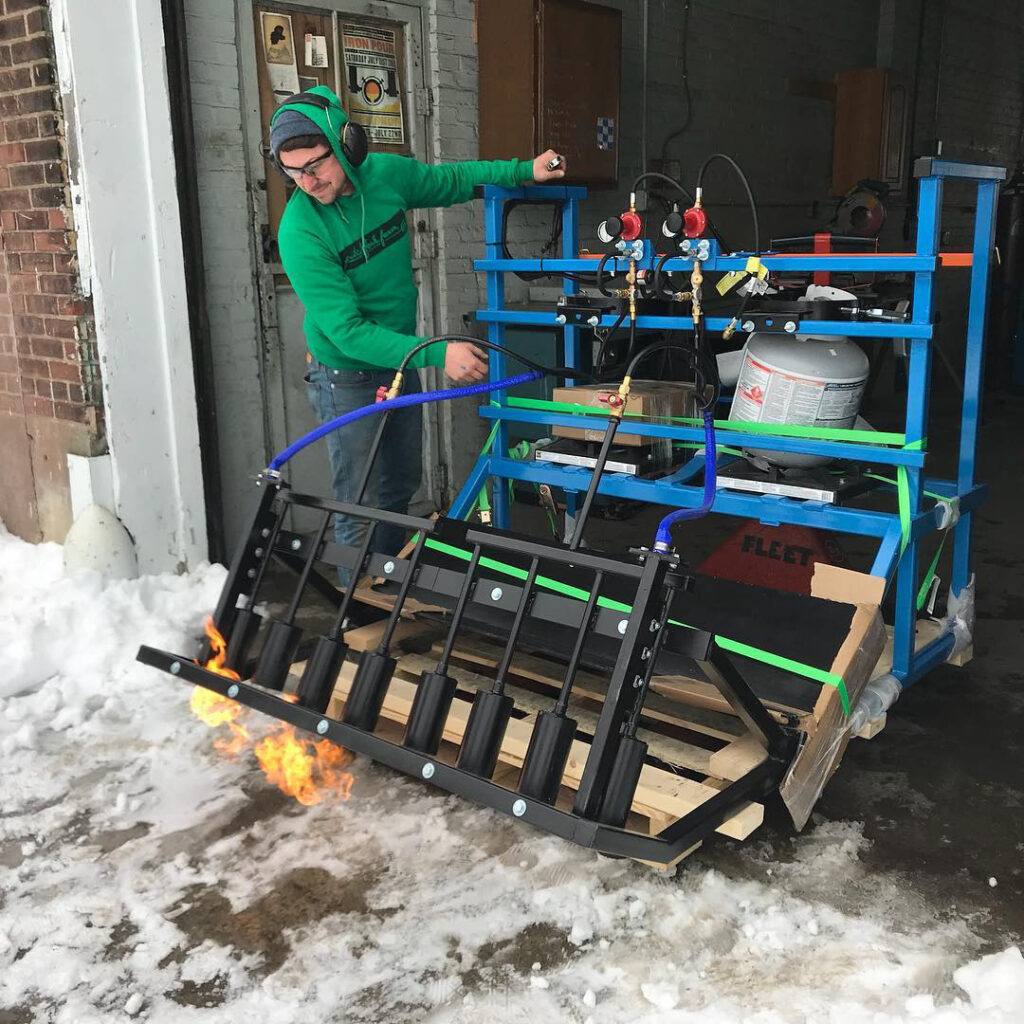
At this point I was itching to start a company after seeing so many early Generator members launch businesses. I started Upstream Ag and began building next generation machinery for small farms. The tool that really took off was our FlameWeeder, which was a tractor-mounted propane torch that quickly killed weeds without the use of pesticides. I sold about 50-60 FlameWeeders (before it became a little too hectic running a farm and a manufacturing business), and fabricated most of them at Generator. I relied on the plasma cutter to make custom parts, and hired Generator members to help with production since they were the most highly skilled workers in town.
Rob testing out a prototype of the FlameWeeder.
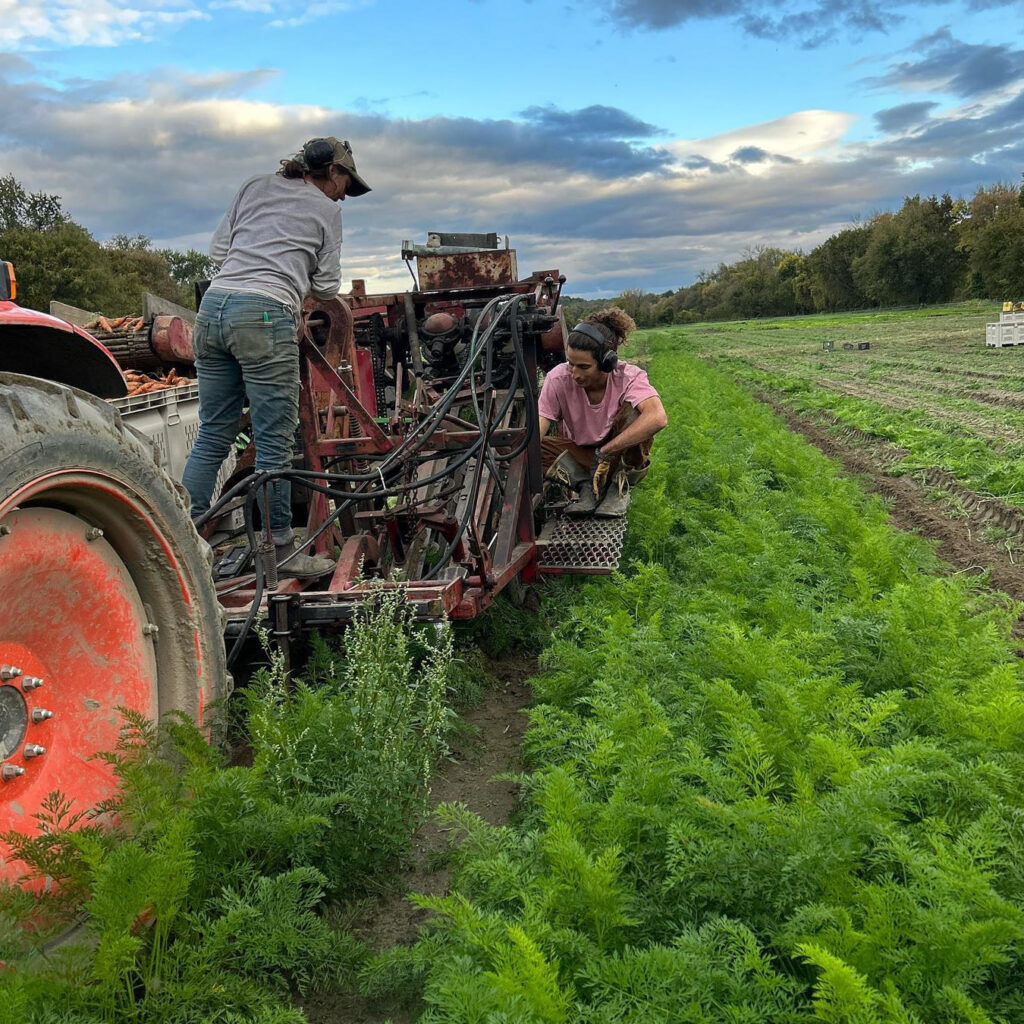
Most recently I have been making use of the Generator tools to design, adapt, and repair equipment for Pitchfork Farm. Recently I repaired a vintage carrot harvesting machine built sometime in the 80s for which parts are no longer readily available. When the lift arm mechanism broke I was able to fabricate a new mount using the milling machine at Generator. For a small farm, this is a big win that allows us to save money and extend the life of unique equipment that fits our scale of production.
The laser cutter and 3D printers have helped me to develop a ‘speed seeder’ which allows us to manually seed a 144 plug greenhouse flat with lettuce seed in a little under one second – it’s a pretty good result for now but I’m thinking maybe I can automate it!
The carrot harvester in action on the farm.
Generator is a treasure trove for anyone working in a physical medium – whether that’s the arts, trades, or agriculture. The tools and community at Generator were vital in helping me through the early years at Pitchfork Farm and in realizing projects that would otherwise have been impossible to make, and I remain excited to keep the projects flowing as I look to the future.
Generator has made a huge impact for me, and I want to make sure other makers continue to have access to their resources.
– Rob
Thank you Rob!
As a nonprofit makerspace, support from our community is what allows Generator to offer a wide variety of programs and provide access to resources that makers like Rob find valuable. Might you be willing to contribute today?
We are currently in the middle of our spring fundraiser. Thanks to some generous sponsors we have the opportunity to unlock a $20,000 matching gift if we can raise $20,000 in community donations by Sunday, June 16th, 2024. If you contribute today, you gift will go twice as far!
A month or so ago I reached out to our membership through the forum asking if anyone had a project or story they’d be willing to share. One of the people that replied was Dan Rabinovitch. Dan had recently taken our MIG welding and CNC Plasma trainings, and wanted to share a short video documenting a cool mini-firepit he had made as a way to practice his new skills. Dan appeared to be having a great time learning and experimenting, and a couple of weeks later we were able to connect in person so I could chase Dan around our metal and wood shops with my camera. After spending time with Dan I was even more curious, so I sent Dan a selection of questions about where he’s from, what he does outside of Generator, asking about his history as a maker, and his experience here at Generator. Below is the result.
So please enjoy this short piece of writing courtesy of Dan himself!
Name: Dan Rabinovitch Current Location: Stowe, VT Birthplace: IsraelBusiness: Aromatic Designs Website: www.aromaticdesigns.org
I was born and raised in Israel. At age 13, my family relocated to New Jersey.
I spent the majority of my life living in urban settings, mostly New York City. Around my mid-thirties, I started undergoing an existential process that, only in hindsight, I can recognize as a mid-life crisis. There is of course, far too much depth to this history than can be summed up in a few sentences, but suffice it to say that this was the point I realized that to preserve my sanity, I needed to live in a place where there is more earth than pavement, and make more art.
It took several more years of plotting, exploring, and untethering, but I finally managed to make the (timely) move from NYC to the greater Stowe area in 2019. Around this time I had started working on some ideas for interactive large scale installations, the manifestation of which would require dusting off and expanding my scope and skills. To that end I began to seek out a makerspace/community in the area, and it wasn’t very long before I discovered Generator!
I have not been very disciplined about coming to generator regularly at a specific time, but since joining I’ve taken quite a few tool trainings and tried my hand at several small projects, from home projects like a simple plywood dolly for my stereo system, to custom speaker shelves, to signs and award plaques, to a portable mini-firepit. In almost every case, I’ve benefited from the advice and guidance of generator members and staff, both in person and on the online forum. Thanks generator community!
With a background in graphic design, I naturally gravitate towards using the ever-satisfying CNC tools like the laguna router, the cnc plasma cutter, and the laser cutters. I feel most comfortable in the metal shop at this point, but I’m getting more confident in the wood shop as well. It feels very rewarding to complete small projects, but they are really stepping stones towards a bigger plan for an interactive, kinetic art installation – a human powered, life size music sequencer. As I’ve been honing my fabrication chops and developing a tabletop scale model, I’ve also been refining the simplicity and practical feasibility of the design, and I hope to enlist the considerable knowledge and skill of some of generator’s finest to scale up from a tabletop model to human size, starting this spring.
I feel art is very important, perhaps more so in our time than ever before. Art holds the influential potential, not only to connect hearts and minds to fresh moods and perspectives, but in addition, to ignite a sense of curiosity and wonder. Such an attitude is too often hushed or brushed aside by social influences towards increasing reliance on digital technology, hyper-specialization, and an education system rooted deeply in “the authority of the already established,” at the expense of experimentation and creativity.
Curiosity is a skeleton key to the doors of intuition and imagination.
Generator and the South End Arts and Business Association (SEABA) are proud to announce a new partnership to support a collaborative Artist-In-Residence program.
[spacer height=”30px”]
About the Program
[spacer height=”30px”]
The Generator Artist-in-Residence program first began in 2014. Founded with the organization, the program is an active example of Generator’s long-standing support of developing artists in Vermont. by offering professional development in technical skills within a collaborative community space.
[spacer height=”15px”]
Generator is thrilled to collaborate with SEABA to continue supporting Vermont artists in Burlington’s South End Arts District. “Partnering with Christy Mitchell at SEABA is a no brainer. Providing access to our tools and the opportunity to develop technical skills can significantly accelerate an artist’s career. Partnering with SEABA allows both of our organizations to expand our networks while increasing our impact and role in the arts”, says Meg Hammond, Executive Director of Generator.
[spacer height=”15px”]
Through the Artist-In-Residence program, Generator will host four artists annually, offering each resident four months of free Generator membership, 3 months of free Generator studio rental, and a combined $900 in the form of tool training credits and a material stipend.
[spacer height=”30px”]
The Perfect Partnership
[spacer height=”30px”]
The Artist-In-Residence partnership is an exciting culmination of years of collaboration between Generator and SEABA. As a nonprofit in Burlington’s South End, Generator has long been a member of SEABA and has participated in many South End Art Hop events run by the association. “The partnership with Generator meshes perfectly,” says SEABA’s Executive Director, Christy Mitchell. “Many artists benefit from tools that expedite their process or allow them to create works that would be impossible by hand. Conversely, makers often need the inspiration of art and other visual minds to create aesthetically rich pieces.”
[spacer height=”15px”]
Generator and SEABA are also connected through leadership: Christy was also Generator’s first Executive Director. “Both organizations lift up our creative community by giving unique access to tools and training,” she says. “By SEABA and Generator collaborating on the Artist-In-Residence program, it allows us to support the artist and maker community in ways that our organizations would not be able to do alone.”
[spacer height=”30px”]
The application for our Winter and Spring 2024 residencies is open now. Are you our next Artist-In-Residence? Apply here.